
Video widget
Integrate video into your website that automatically adjusts to any screen size. Make it attractive on all devices using simple responsive display settings.
The videowidget contains:
- Interactive buttons and video rewinding
- Analytics and reporting
- Embedding variability
- Personal account for management


Embed adavptive videos using a videowidget
Log in to your QForm account and go to Spaces.
.jpg)
Next to the desired space, click the “+” icon in the “Video widgets” column.
.jpg)
Upload a video from your device. Make sure it supports the required format and does not exceed the specified dimensions (depending on the tariff).
.jpg)
For convenience, please provide a name and description for your video widget.
.jpg)
Select the display type "In the page body".
.jpg)
Then decide on the orientation (vertical, square, horizontal) and enable the responsive property. Then the video will fill the entire width of the parent element and maintain its proportions
.jpg)
To make the video completely fill the block, select the "Fill" orientation.
.jpg)
Click "Save" or "Save and Configure" if you plan to continue working with the video image.
.jpg)
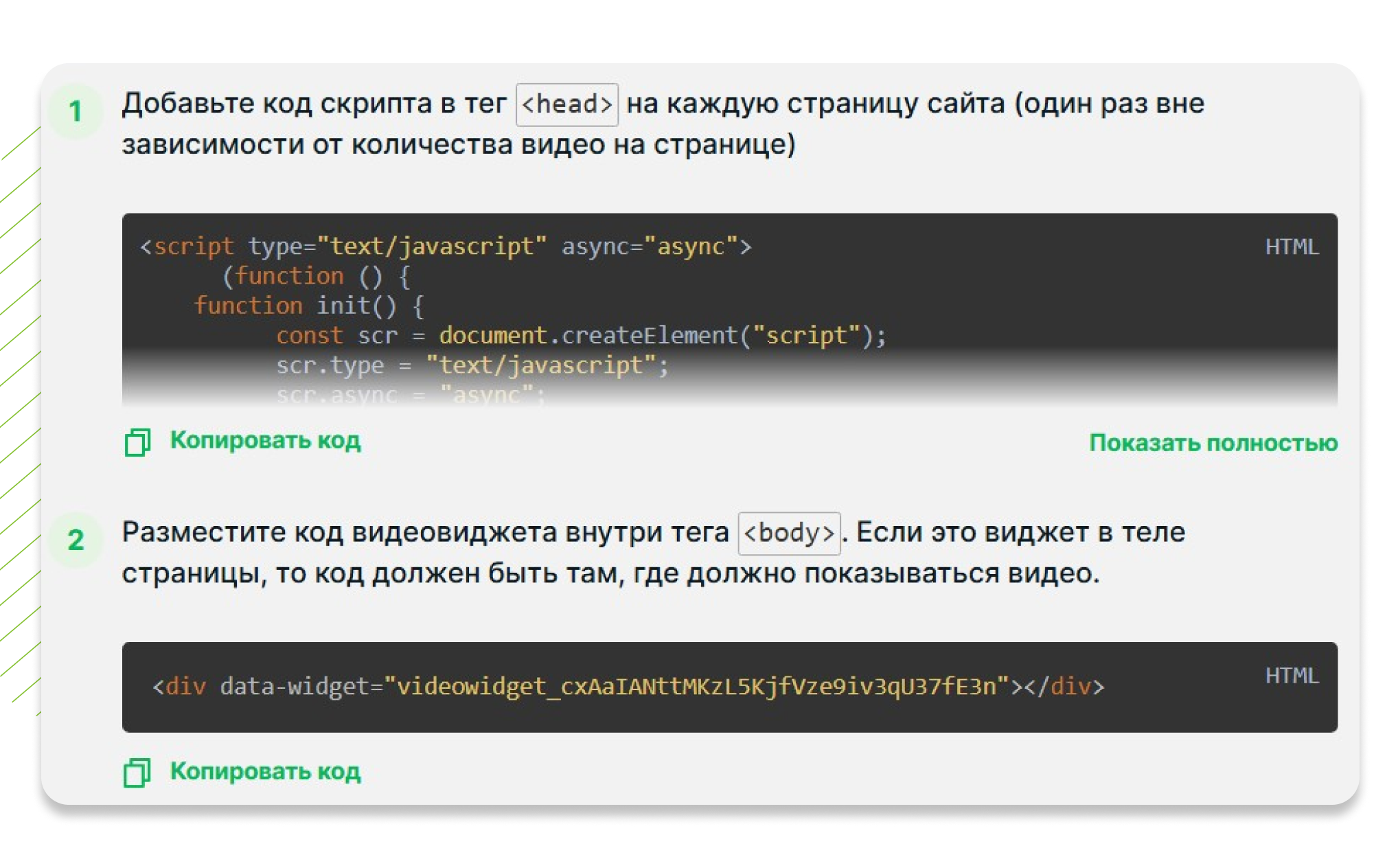
To post a video on the website, go to the "Insert code on the website" tab and follow the instructions.
Benefits of QForm Adaptive Videos

Text over video
Add text to your video to make it more informative and personalized.

Easy to operate
Use your personal account to easily edit, add and customize your video widgets.

Business Solutions
Special rates for B2B clients include free installation and customization of visual elements.

Scenario options
Set up a variety of scenarios for the CTA button: opening forms, clicking on links, or scrolling to the desired block.
Other types

Video on the website
Post a video on the site to diversify the content and engage visitors

Video reviews
Reviews help a potential buyer make a final purchase decision

Video Gallery
Create and place several widgets one after another to get a video gallery

Product presentation
Announce a new product or major changes. Convey the most important things to visitors in the first few minutes

Video review of the product
Tell us about the product or product in a live video format, without interfering with the usual interaction with the site

Pop-up video
Upload and add a mini-video to the site in two steps to attract the attention of visitors with a pop-up video insert with your content

Video in a pop-up on Tilda
Post QForm video images on the website created on Tilde. They will open in a pop-up window by clicking, scrolling, or timeout

Video widget in miniature
Capture attention and increase conversion with video in the corner of the screen. Users will receive the necessary information without being distracted from studying the site.

Video widget in content
Integrate a video widget into your text to enhance your content and increase the time users spend on your site.

Video widget with event-driven display
The video widget is launched by specified triggers: when hovering, when scrolling to the block, by clicking, or with a time delay. This allows you to offer relevant content to users at the right time.